Skip to content
← All blueprints
Changelog Hub

Product changelogs

Changelog Hub

A product changelog that reads like a respected dev blog — write releases in markdown, tag them, and announce every ship through an in-app widget and an email digest, without wiring a thing.

  • Full planning bundle — BRAND, MRD, BRD, PRD, DESIGN
  • Branded styleguide — typography, color, components
  • 5 previewable mockups

Cloning copies the full plan into a new project you own — edit it freely.

Inside the bundle

Styleguide and mockups

A look at the brand palette and screen-level mockups that ship with this plan. Cloning copies all of them into your project.

Style guide

Styleguide

What this blueprint gives you

A complete product-changelog platform for the team that ships every week and is quietly embarrassed that their changelog looks worse than their product. Today that changelog is a Notion page nobody reads, a buried Slack channel, and a tweet someone forgets to write. Changelog Hub replaces all three with one polished public page that reads like Stripe’s, Linear’s, or Vercel’s release notes — and announces itself in the product and over email without anyone wiring a thing.

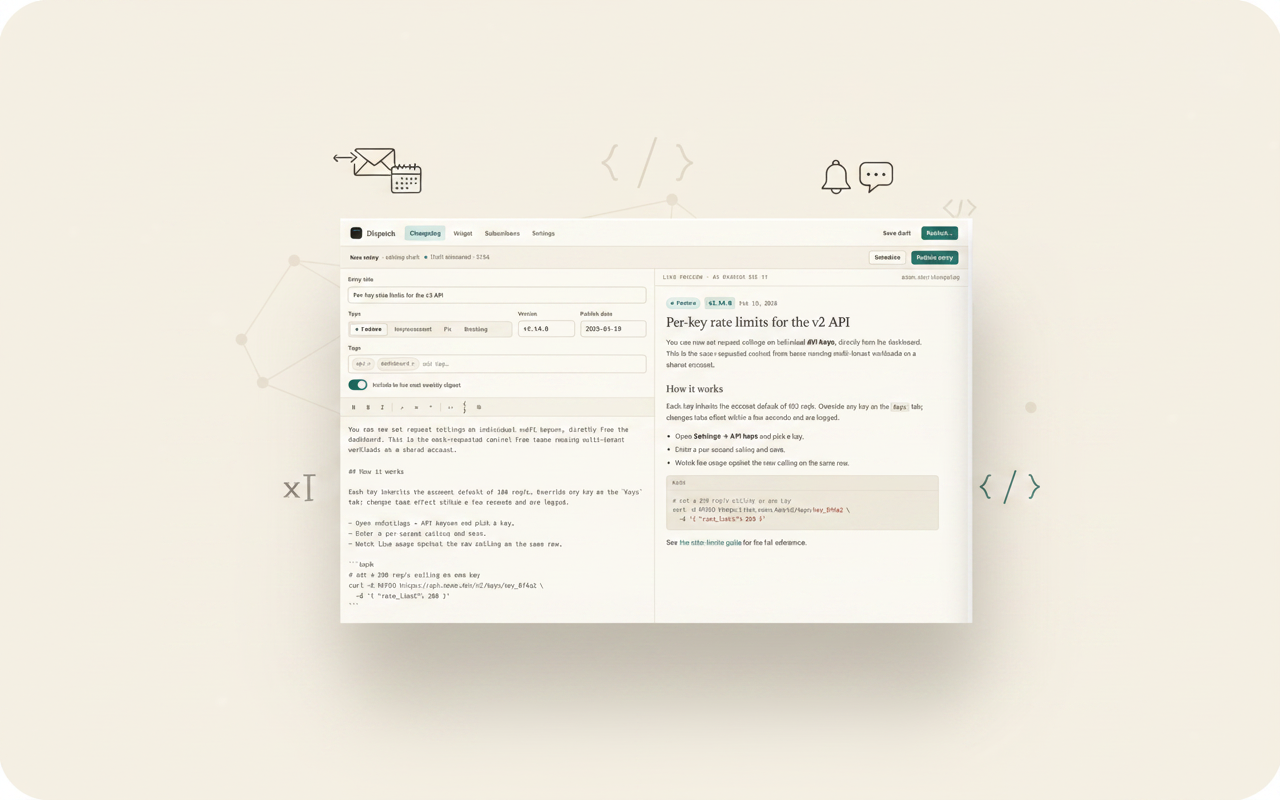
The blueprint ships the entire loop a DevRel lead or founding engineer actually runs on release day: open the composer, paste the week’s shipped work, write it in plain markdown with a live preview, tag it (Feature, Improvement, Fix, Breaking), attach a version, and publish. The instant it goes live the public timeline updates, the in-app announcement widget shows a badge to every signed-in user, and a weekly email digest is queued to subscribers — each surface drawn from the same entry, never re-written.

Five planning documents (BRAND, MRD, BRD, PRD, DESIGN) at senior-team depth, written for the person who has shipped real software and is tired of their release notes being the worst-looking thing they own. The product is opinionated about what a good changelog is — written by a human, scannable, honest about breaking changes, and announced where the customer already is — and the surface is shaped around that opinion.

The interface is editorial-product: warm paper, a soft serif title, mono timestamps and version tags, hairline rules, and four calm tag pills. Nothing about it reads as a marketing blast. It reads as a respected dev blog that happens to have a composer behind it. The planned mockups cover the public timeline readers land on, the entry detail page a deep link opens, the markdown composer with live preview, the in-app widget config, and the subscriber list with digest controls.

Clone this when you want to ship a changelog product that competes with Beamer, Canny Changelog, LaunchNotes, or Headway — and beats them on the one thing that actually gets a changelog read: it looks like something a writer made, not something a form generated. The blueprint is shaped around a flat per-workspace subscription with a generous free tier, with the positioning, unit economics, and product surface already worked out.

Every release surface — public page, in-app widget, email digest, RSS and JSON feed — is generated from a single entry, so the team writes once and the announcement lands everywhere their customers already are.

Planning documents

Preview the plan

Each blueprint includes the senior-level planning files. These cards show the opening text before you clone the full bundle.

Brand Guidelines Document

BRAND.md

Preview

BRAND — Changelog Hub (Dispatch) One line A changelog that reads like a respected dev blog — written by a human, tagged and versioned, and announced in your product and inbox the moment it ships. The name The product ships as Dispatch . A dispatch is a short, dated, factual account sent out from where the work is happening — a war correspondent's filing, a foreign desk's wire. That is exactly what a good changelog is: dated, factual, written by someone who was there, sent out to the people who n

Design Specification Document

DESIGN.md

Preview

DESIGN — Changelog Hub (Dispatch) Soul of the interface A respected dev blog with a composer behind it. The product should read the way Stripe's, Linear's, Vercel's, and Resend's changelogs read when you cross them: warm paper, a soft serif title that looks written , mono timestamps and version tags that the eye scans like a wire service dateline, hairline rules, generous measure, and four calm type pills. Nothing about the surface should feel like a marketing blast or a SaaS widget. The reader

Market Requirements Document

MRD.md

Preview

MRD — Changelog Hub (Dispatch) Market summary Every software company ships, and every software company is supposed to tell its customers what shipped. Almost none of them do it well. The changelog — the dated, public record of what changed in a product — is simultaneously one of the highest traffic pages on a developer tool's site (often second only to the docs) and one of the most neglected. The typical changelog is a stale Notion page, a releases Slack channel with no permalink, a forgotten Wo

Business Requirements Document

BRD.md

Preview

BRD — Changelog Hub (Dispatch) Business model A flat per workspace subscription with a genuinely useful free tier. Pricing is by workspace, not per seat — a changelog is written by one or two people but read by everyone, and per seat pricing would punish exactly the collaborative behavior we want. The paid tiers unlock the surfaces that scale a changelog into a communication channel: a custom domain, the email digest beyond a starter cap, the in app widget, removal of the brand mark, and team ro

Product Requirements Document

PRD.md

Preview

PRD — Changelog Hub (Dispatch) Product summary A product changelog workspace where a team writes each release once — in plain markdown, with a live preview — tags and versions it, and publishes it to a public page that reads like a respected dev blog. The same entry automatically powers an in app announcement widget, a weekly email digest to subscribers, an RSS feed, and a JSON feed, so the team writes once and the announcement lands everywhere their customers already are. The product replaces t

Keyboard shortcuts

Press ? anywhere to open this list. Esc closes it.

Go to dashboard
g d
Go to current project
g p
Save the editor
S
Send chat message
Open this cheat sheet
?

Sequence shortcuts (g _) only fire when no field is focused. On macOS use ; on other platforms Ctrl.